

Documentation Index
Fetch the complete documentation index at: https://cometchat-22654f5b-release-unreal-docs.mintlify.app/llms.txt
Use this file to discover all available pages before exploring further.
Supported Platforms
| Platform | Status |
|---|---|
| Windows (Win64) | ✅ Supported |
| macOS | ✅ Supported |
| iOS | ✅ Supported |
| Android | ✅ Supported |
Minimum Requirements
- Unreal Engine 5.5.4 or 5.7.2
- C++ development tools for your platform
- CometChat account with App ID, Region, and Auth Key
Quick Start
Get up and running in five steps:Get your Application Keys
Sign up for CometChat, create a new app, and note your App ID, Auth Key, and Region.
Install the Plugin
Copy the
CometChat plugin into your project’s Plugins/ directory. See Setup for details.Architecture
The plugin has three layers:- UCometChatSubsystem — A
UGameInstanceSubsystemthat owns the SDK lifecycle. Access it from any Actor or Widget. - Latent Async Nodes — Blueprint-friendly async actions with Success and Failure output pins.
- Real-Time Delegates — Multicast delegates on the Subsystem for push events. All fire on the Game Thread.
How It Works in Blueprints
- Get the Subsystem —
Get Game Instance→Get Subsystem→CometChatSubsystem - Configure — Pass your App ID and Region once
- Bind Delegates — Wire up
OnMessageReceivedand other events before Login - Async Nodes — Every operation has On Success and On Failure exec pins
- Real-Time Events — Incoming messages and presence updates arrive automatically via delegates
All callbacks fire on the Game Thread — safe to update UI directly.
What’s Included
| Category | Capabilities |
|---|---|
| Authentication | Login with Auth Key, Login with Auth Token, Logout, session check |
| Messaging | Send & receive text messages (1:1 and group), message history with pagination |
| Users | Fetch user profiles, real-time presence (online/offline) |
| Groups | Create, join, leave groups, group messaging, member management |
| Conversations | Fetch conversations list with unread counts, last message, tags |
| Real-Time Events | 40+ delegates: messages, typing, receipts, reactions, presence, groups, calls, connection, login, AI |
| Moderation / Flagging | Flag messages, get flag reasons, moderation status tracking |
| AI Assistant | AI assistant events, tool results, tool arguments |
| Transient Messages | Send ephemeral messages that aren’t persisted |
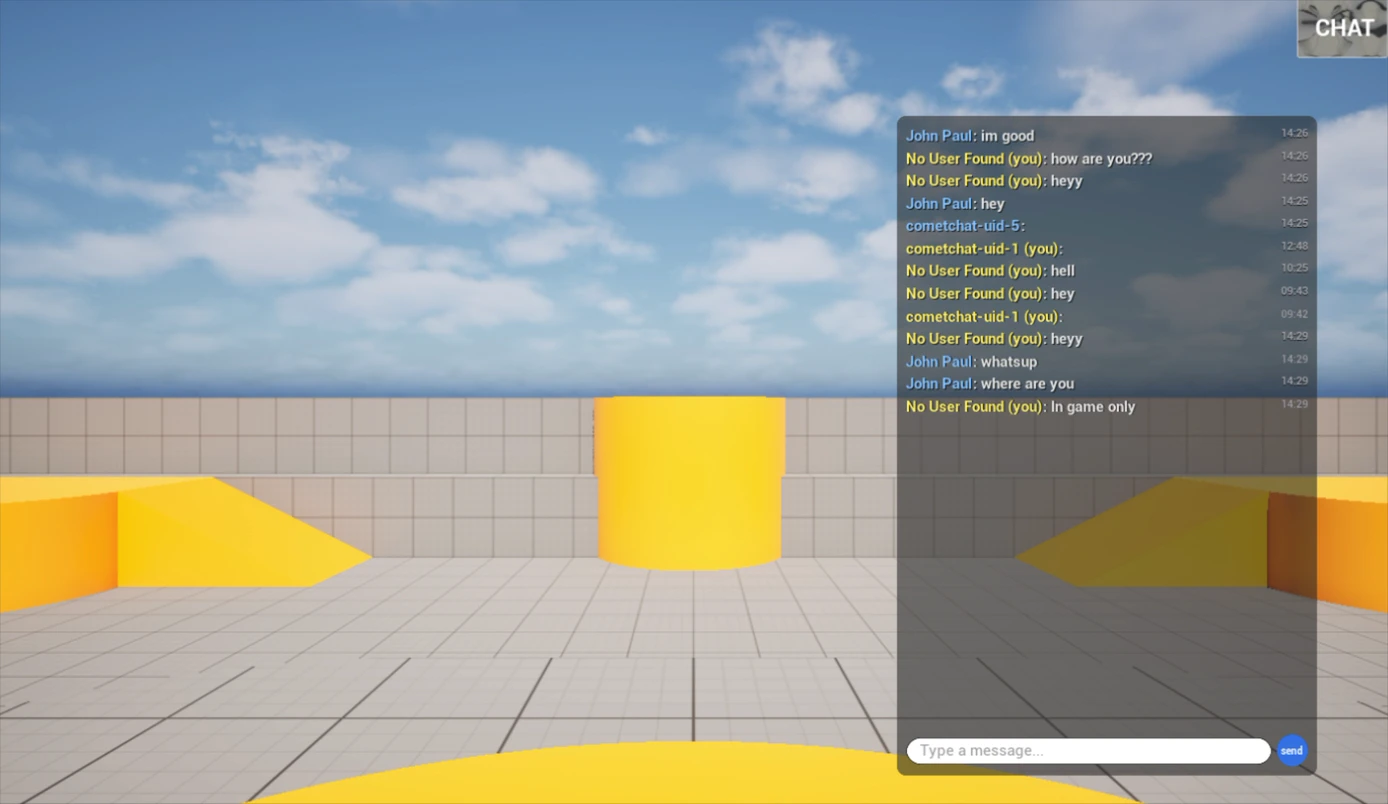
| UI Components | Ready-to-use CometChatPanel (tabbed chat) and CometChatButton (floating toggle) |
Sample Users
CometChat provides 5 pre-created users for testing:| UID | Name |
|---|---|
cometchat-uid-1 | Andrew Joseph |
cometchat-uid-2 | George Alan |
cometchat-uid-3 | Nancy Grace |
cometchat-uid-4 | Susan Marie |
cometchat-uid-5 | Peter Reed |
Next Steps
Setup
Install the plugin and configure your project.
Key Concepts
Understand the Subsystem, async nodes, and event model.
Authentication
Log users in and manage sessions.
Send a Message
Send your first text message.